
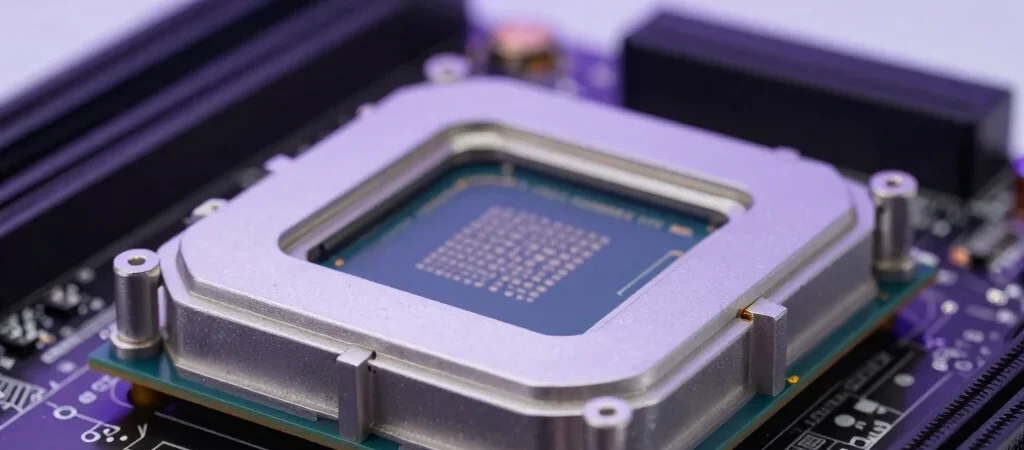
The Intel Core i9-14900K is a high-performance desktop processor designed for users who want strong gaming performance and serious multi-core capability.
However, performance comes with an important consideration: power consumption and heat.
High-end CPUs can draw significantly more power during heavy workloads than they do during gaming or everyday use.
Understanding that behavior helps you choose the right motherboard, CPU cooler, case and power supply.
Why CPU Power Draw Matters
Power consumption affects more than your electricity bill.
Higher processor power can increase:
- CPU temperature
- cooling requirements
- fan noise
- motherboard VRM load
- total PSU requirements
- case temperature
A powerful processor paired with inadequate cooling may run hotter and noisier than necessary.
Gaming vs Heavy Workloads
Gaming generally does not use every CPU core at maximum load continuously.
This means the Core i9-14900K can consume significantly less power during normal gaming than during workloads such as:
- rendering
- video encoding
- stress testing
- compiling
- 3D workloads
- synthetic benchmarks
This distinction is important.
A processor’s worst-case power consumption does not represent what it will consume every second while gaming.
Why the i9-14900K Can Run Hot
Modern flagship processors are designed to take advantage of available thermal and power headroom.
Under heavy workloads, the CPU may increase frequencies aggressively.
That produces additional heat.
The processor’s behavior also depends on:
- motherboard settings
- BIOS configuration
- voltage
- power limits
- cooling solution
- ambient temperature
- workload
Two computers using the same processor may therefore report noticeably different temperatures and power figures.
Choosing the Right CPU Cooler
For a high-end processor such as the i9-14900K, cooling should not be an afterthought.
Good options generally include:
Premium Dual-Tower Air Coolers
Large air coolers can provide excellent performance with fewer mechanical components.
Advantages include:
- reliability
- straightforward installation
- no pump
- good long-term durability
280mm Liquid Coolers
A quality 280mm AIO can handle demanding gaming and productivity workloads effectively.
360mm Liquid Coolers
For users who frequently run sustained all-core workloads, a quality 360mm AIO provides additional cooling capacity.
Case Airflow Matters
Even an excellent CPU cooler will struggle if hot air remains trapped inside the case.
A good airflow configuration usually includes:
- front or bottom intake fans
- rear exhaust
- top exhaust where appropriate
- unobstructed airflow paths
GPU heat can also raise internal case temperatures.
This is particularly relevant in a PC combining the i9-14900K with a high-end graphics card.
Motherboard Power Settings
Motherboard settings can have a major effect on power draw.
Some boards may use aggressive default behavior to maximize benchmark performance.
More conservative power settings can reduce:
- temperatures
- fan noise
- power consumption
while sometimes producing only a modest difference in real gaming performance.
Users should consult motherboard documentation before changing advanced BIOS settings.
Undervolting
Undervolting reduces processor voltage while attempting to maintain stable performance.
A successful undervolt may improve:
- temperature
- efficiency
- fan noise
- power consumption
However, excessive undervolting can cause:
- crashes
- application errors
- instability
- failed stress tests
Any voltage adjustment should therefore be tested carefully.
Gaming Performance
The i9-14900K is powerful enough for high-refresh-rate gaming when paired with a capable GPU.
However, not every gamer needs a flagship processor.
At 1440p and especially 4K, many games become increasingly limited by the graphics card.
That means investing more money in the GPU may produce a larger gaming improvement than upgrading from a strong midrange CPU to an i9.
Productivity Performance
The i9-14900K becomes more compelling when the PC performs demanding workloads outside gaming.
Examples include:
- video editing
- rendering
- streaming
- code compilation
- professional applications
- content creation
Its high core count allows it to handle heavily threaded tasks effectively.
Does the i9-14900K Need a Powerful PSU?
The processor should be considered as part of the entire system.
A PC containing:
- Core i9-14900K
- high-end GPU
- multiple SSDs
- RGB lighting
- liquid cooling
- several case fans
can require substantial total system power.
When choosing a PSU, leave reasonable headroom and prioritize quality.
Is It Efficient for Gaming?
Efficiency depends on the workload.
Gaming does not normally push the processor as hard as all-core rendering.
This means the system can be much more efficient during actual gameplay than under a synthetic stress test.
Users focused only on gaming may still prefer a less power-hungry processor if it provides similar gaming performance for less money.
Pros
- Excellent gaming performance
- Powerful multi-core capability
- Strong productivity performance
- Excellent for gaming + creation systems
- High maximum performance
Cons
- High power consumption under heavy load
- Requires serious cooling
- Can produce significant heat
- Expensive platform for gaming-only users
- Needs a quality motherboard and PSU
Frequently Asked Questions
Does the i9-14900K run hot?
It can run hot during sustained heavy workloads, particularly with aggressive motherboard power settings.
Is liquid cooling required?
Not strictly, but high-end cooling is strongly recommended for demanding workloads.
Is 360mm AIO cooling worth it?
For users frequently running intensive multi-core applications, the additional thermal capacity can be useful.
Is the i9-14900K overkill for gaming?
For many gaming-only systems, yes. Its value increases when gaming is combined with demanding productivity workloads.
Can lower power limits reduce temperature?
Yes. Appropriate power tuning can reduce heat and power consumption, although performance may also change.
Final Thoughts
The Intel Core i9-14900K can deliver impressive performance, but it should be installed in a system designed to handle a high-performance processor.
A quality motherboard, strong cooler, effective case airflow and reliable power supply are essential.
For pure gaming, less expensive processors may provide better overall value.
For gamers who also edit, stream, render or perform demanding professional workloads, the i9-14900K offers significantly more capability.